
How to Choose the Best Hybrid Printer in 2026?
Choosing the best Hybrid Printer in 2026 starts with the work you actually produce. These machines can handle both roll media and rigid sheets, but their capabilities vary widely. A sign shop printing vinyl banners has different needs from a display maker handling foam board or acrylic. One machine rarely fits every workflow.
Look beyond headline speed. Check the maximum media thickness, usable print width, ink system, and loading process. Ask how quickly operators can switch between a roll and a rigid panel. A showroom demonstration can reveal practical details: Is the sheet easy to align? Does the table support it evenly? How noisy is the printer during a typical job? Small inconveniences add up. They can slow a busy production day.
Compare the full cost, not just the purchase price. Include ink, maintenance, training, installation, and expected service access. Request sample prints on the materials you use most, and inspect fine text, solid colors, and edge quality under ordinary lighting. Also ask the supplier about warranty terms and local technical support. Specifications matter, but real-world output matters more.
There is no universal winner. Even a careful checklist has a blind spot: your workload may change after purchase. Estimate today’s job mix, then consider likely growth without paying for features you will never use. This guide explains which questions to ask, which specifications deserve attention, and how to compare Hybrid Printer options with clearer expectations. Some choices remain uncertain. That is worth acknowledging.
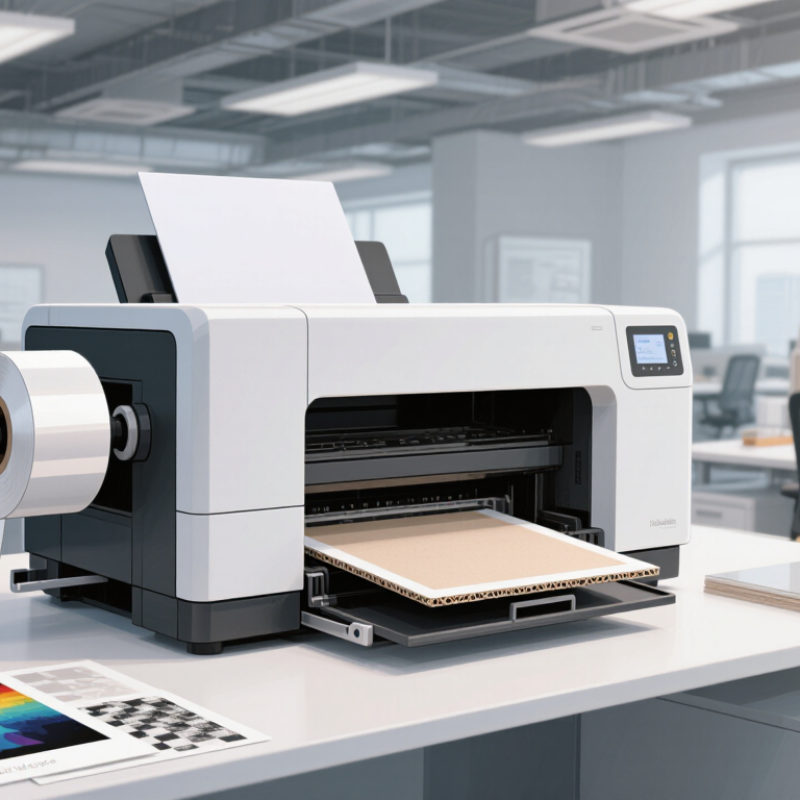
What Is a Hybrid Printer and How Does It Work?
A hybrid printer combines two or more printing methods or workflows in one system. The term is not standardized, so its meaning can vary by product and industry. In commercial settings, a hybrid press often pairs a conventional print process with digital inkjet. The conventional process may produce consistent backgrounds, while inkjet heads add changing text, images, or codes. Sensors help align each layer as paper or another material moves through the machine. Drying or curing then fixes the ink in place. Details vary.
This setup can reduce the need to move a job between separate machines. It may also make short runs with personalized content more practical. But a hybrid design is not automatically faster or cheaper. Setup time, material compatibility, maintenance, and drying requirements all affect real-world performance. Before choosing one, ask for a sample printed on the material you actually use. Check small text, fine lines, color consistency, and whether the output smudges when handled. Ask how long a typical job takes from setup to finished sheets, not just how fast the printer runs. A vendor’s demonstration may use ideal settings; your own files and paper can behave differently. That gap is worth testing.
How to Choose the Best Hybrid Printer in 2026? — What Is a Hybrid Printer and How Does It Work?
“Hybrid printer” can describe different equipment. In label production, it commonly refers to a press that combines digital printing with conventional processes such as flexography. Configurations vary, so confirm the machine’s actual print technology, materials, and finishing options before comparing models.
| Dimension | What It Means | How It Works or What to Check | Why It Matters When Choosing |
|---|---|---|---|
| Basic definition | A hybrid press combines two or more printing processes in one production line. A common label-printing configuration pairs digital inkjet with flexographic printing. | Digital printing can produce variable content and change jobs without making a new plate. Flexographic stations use plates and can apply spot colors, coatings, or other compatible materials. | Check which processes are included. “Hybrid” does not identify one universal design or guarantee that every process is available on every machine. |
| Typical production sequence | The web material is printed and may be finished in a continuous pass. | A typical line may feed a roll of label stock through digital printing, flexographic stations, curing or drying, and optional finishing such as varnishing, laminating, die-cutting, and slitting. The exact sequence depends on the press. | Ask for a demonstration using your artwork and material. Confirm which finishing steps are inline and which require separate equipment. |
| Job length and changeovers | Digital printing is often useful for short runs, frequent artwork changes, and variable data. Conventional stations can be efficient for repeat work and added process steps. | Compare the total job cost and setup time at your actual run lengths. Include plate preparation, ink, substrate waste, finishing, and changeover labor. | A hybrid press is most compelling when your mix of short, medium, and repeat jobs benefits from using both processes. There is no single run length that suits every operation. |
| Print width and speed | Usable web width and production speed affect the range and volume of work a press can handle. | Compare rated speed with demonstrated speed on your intended substrate, ink set, resolution, and finishing configuration. Ask how speed changes when additional stations or quality settings are used. | Do not choose from headline speed alone. Verify the width and sustained throughput needed for your typical jobs. |
| Color and image quality | Color capability depends on the print engine, ink set, substrate, workflow, and any conventional color stations. | Request test prints using representative artwork. Assess fine text, gradients, small codes, solid areas, color consistency, and repeatability. Confirm how color profiles and spot colors are managed. | Printed samples provide a more useful comparison than general claims. Ensure critical colors and details meet your customers’ specifications. |
| Substrate compatibility | Label stocks may include paper and film materials, but compatibility is not automatic. | Check supported material types, thickness, width, surface treatment, adhesive construction, and roll requirements. Test each important stock for print adhesion, curing, registration, and finishing performance. | Use your real materials in acceptance testing. A material that runs through the press may still need special treatment or settings to meet quality requirements. |
| Ink, curing, and safety | Ink chemistry and curing requirements vary by printing system and application. | Confirm the ink type, curing or drying method, ventilation needs, maintenance routines, and suitability for the intended end use. For food, pharmaceutical, or other regulated packaging, obtain application-specific compliance documentation. | Never assume that a printed label is suitable for direct food contact or another regulated use solely because it is produced on a particular type of press. |
| Registration and finishing | Registration is the alignment of printed colors and finishing operations. Finishing may include coating, laminating, cutting, or slitting. | Check achievable registration on your materials, how it is monitored, and which finishing modules are available. Test die-cutting and waste removal on representative label shapes. | Accurate registration and suitable finishing help reduce rejects and determine whether completed labels can be produced in one pass. |
| Workflow and variable data | Digital workflows can support artwork changes and variable content, while hybrid lines must coordinate digital and conventional operations. | Ask about file preparation, color management, job setup, data handling, barcode verification, and integration with existing prepress or production systems. | A capable press still needs a dependable workflow. Validate the full process from approved artwork to inspected finished rolls. |
| Total cost of ownership | The purchase price is only one part of the cost of operating a press. | Estimate costs for inks, plates, substrates, maintenance, service, energy, labor, waste, software, and finishing equipment over expected production volumes. | Compare cost per acceptable finished label across your real job mix, including changeovers and material waste. |
| Best-fit checklist for 2026 | The best choice is the configuration that matches your products, workload, and operating constraints. | Prepare a list of common substrates, job lengths, finished label sizes, color requirements, variable-data needs, target output, and required certifications. Run trials and request a written specification. | Choose based on verified samples, documented capabilities, service availability, training, and a realistic production-cost analysis—not on the “hybrid” label alone. |